


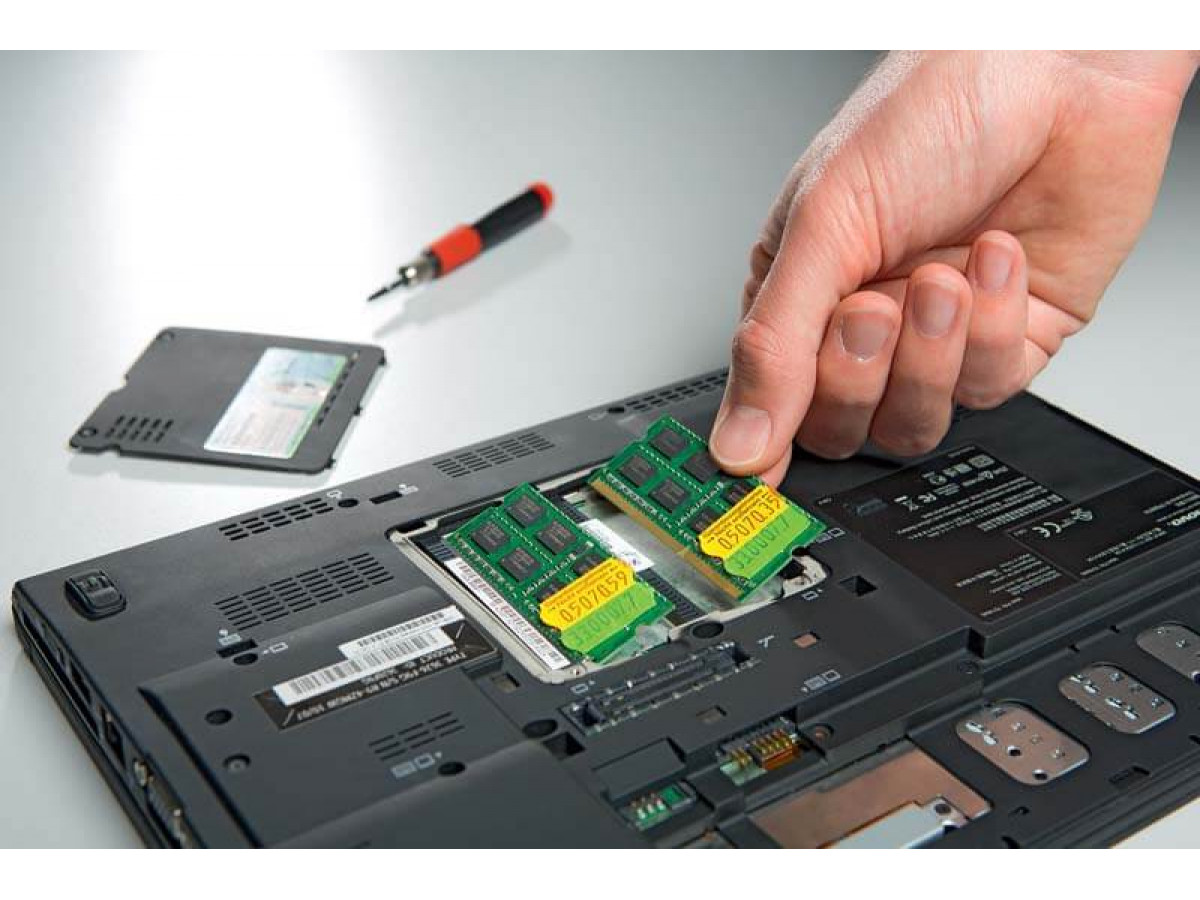
How to choose memory for a laptop or computer? Recommendations from a system administrator with ten years of experience
Today we will talk about RAM (used):
- What is RAM, and what does its amount affect?
- How to choose the right amount of RAM without overpaying?
Almost everyone who uses a computer, laptop, or all-in-one PC has wondered at least once about increasing their RAM. This integral part of a computer is very important, as the system you are working with may freeze, slow down, or, in the worst case scenario, refuse to boot up altogether due to the number of installed programs, antivirus software, and viruses.
What is RAM?
Random Access Memory (Random Access Memory, RAM) is a part of a computer or laptop system that stores executable machine code (programs) during computer operation, as well as input, output, and intermediate data processed by the processor. Based on this, the more programs and information being processed, the more space is needed in the RAM to store and process them.
Types of modules
Regardless of the number of RAM manufacturers and price variations, there are only two types:
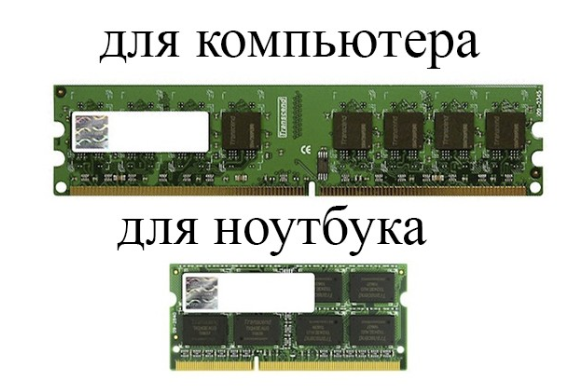
- DIMM, or Dual In-line Memory Module, for computers and servers;
- SO-DIMM, or Small outline Dual In-line Memory Module, for laptops and some all-in-one computers.
Memory standards
There are several types of memory standards: DDR, DDR2, DDR3, DDR4, which differ in the form factor of the memory module itself.
Memory capacity
The capacity can be 2GB, 4GB, 8GB, 16GB, etc. It all depends on how much capacity you need and for what tasks.
Memory voltage
This value only determines the voltage at which the RAM will operate, since different platforms have different voltages, and if this parameter is not taken into account, the memory may simply not work, and in some cases, it may simply “burn out.”
Clock frequency
This parameter can be characterized by the fact that the higher the frequency, the faster the information will be transferred for processing and the higher the computer's performance will be. When talking about RAM frequency, they mean the data transfer frequency:
- DDR - 200/266/333/400 MHz (clock frequency 100/133/166/200 MHz).
- DDR2 - 400/533/667/800/1066 MHz (200/266/333/400/533 MHz clock frequency).
- DDR3 - 800/1066/1333/1600/1800/2000/2133/2200/2400 MHz (400/533/667/800/1800/1000/1066/1100/1200 MHz clock speed). However, due to high timing values (latencies), memory modules with the same frequency sometimes lose in performance to DDR2.
- DDR4 - 2133/2400/2666/2800/3000/3200/3333.
Memory timings
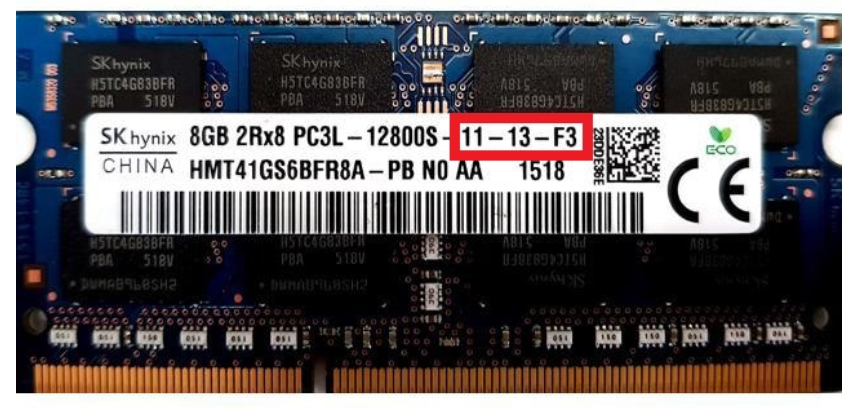
During memory operation, the system prepares for data exchange. The number of cycles required to complete this process is characterized by the so-called timings, which are indicated together with the module name (e.g., 9-10-9-28, 7-7-7-24).
How to choose the right used RAM?
There are six main factors, which we discussed at the beginning of this article. For the system to work perfectly, you should pay attention to the following when choosing used RAM:
1. Determine the type of modules. As we have already discussed, there are two types: DIMM for computers and SO-DIMM for laptops.
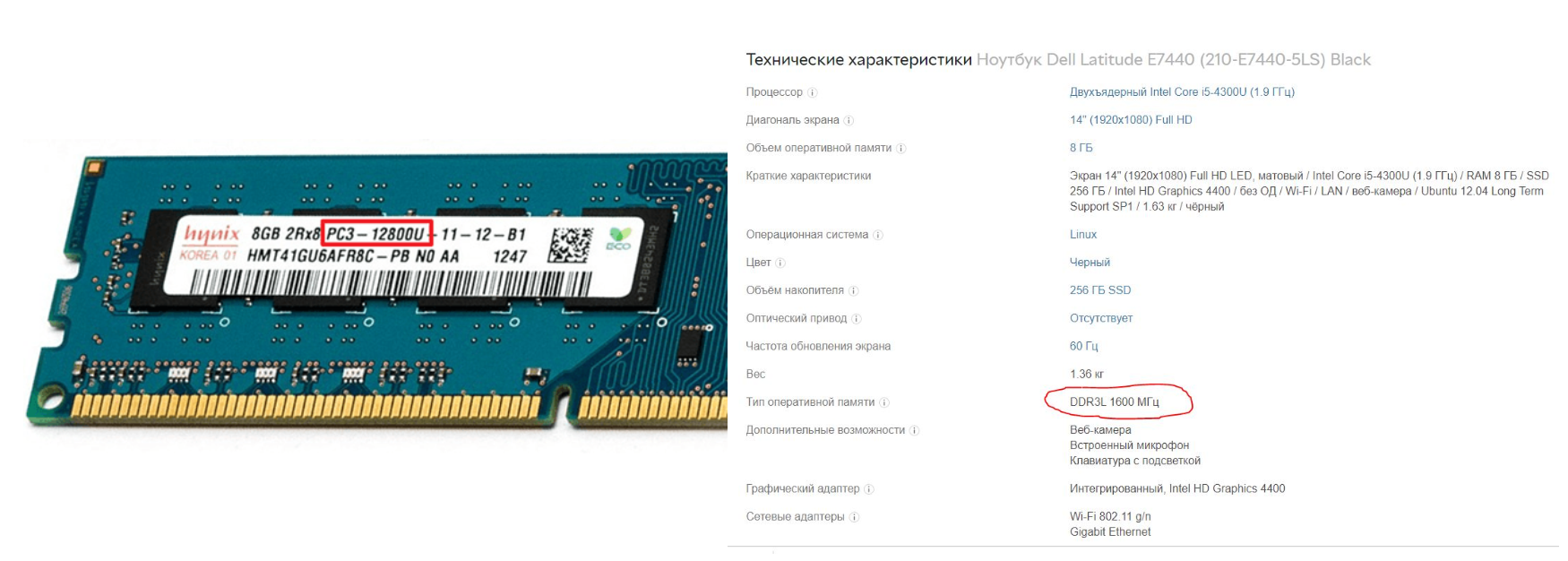
2. The memory standard can be determined by the installed RAM (PC2 - DDR2, PC3 - DDR3, PC4 - DDR4) or by looking at the device model to see what memory was installed (using the Dell Latitude E7440 laptop as an example).
3. We select the memory capacity based on two indicators. The first is the system parameters, since each system has limitations on the amount of memory that can be installed, the so-called “maximum memory capacity.” The second is the amount of memory required for the system to work efficiently.
4. We look at the frequencies at which the memory will operate in a given system. This information can be found on the manufacturer's website or on the installed memory itself. 1333 MHz - 10600S; 1600 MHz - 12800S; 2133 MHz - 17000S; 2400 MHz - 19200S; 2666 MHz - 21333S
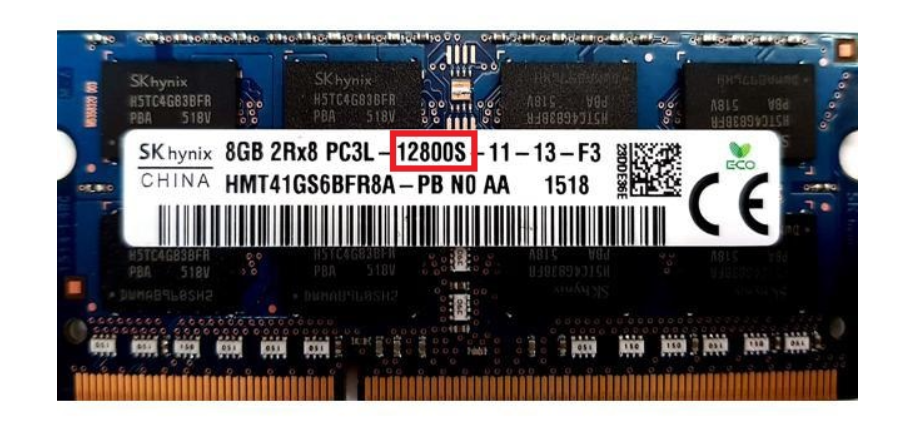
5. We also draw your attention to the system voltage, which is also indicated on the manufacturer's website. DDR3 operates at 1.5V, and DDR-3L at 1.35V (the letter L stands for reduced power consumption). All DDR4 memory operates at 1.2V.
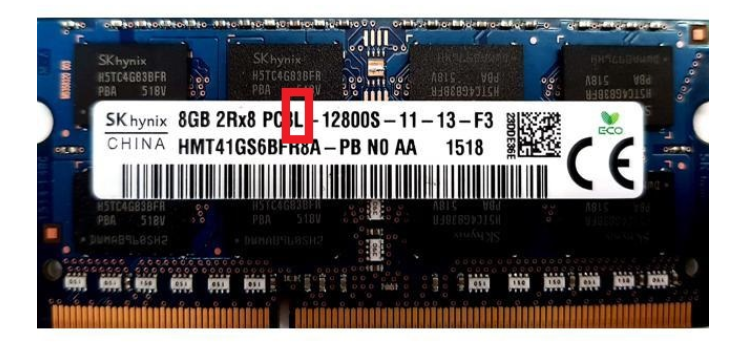
6. Also, if the memory will be installed in several strips, be sure to pay attention to the timings, as this affects performance, productivity, and stability.
We hope this article has been helpful to you.
Write a comment