


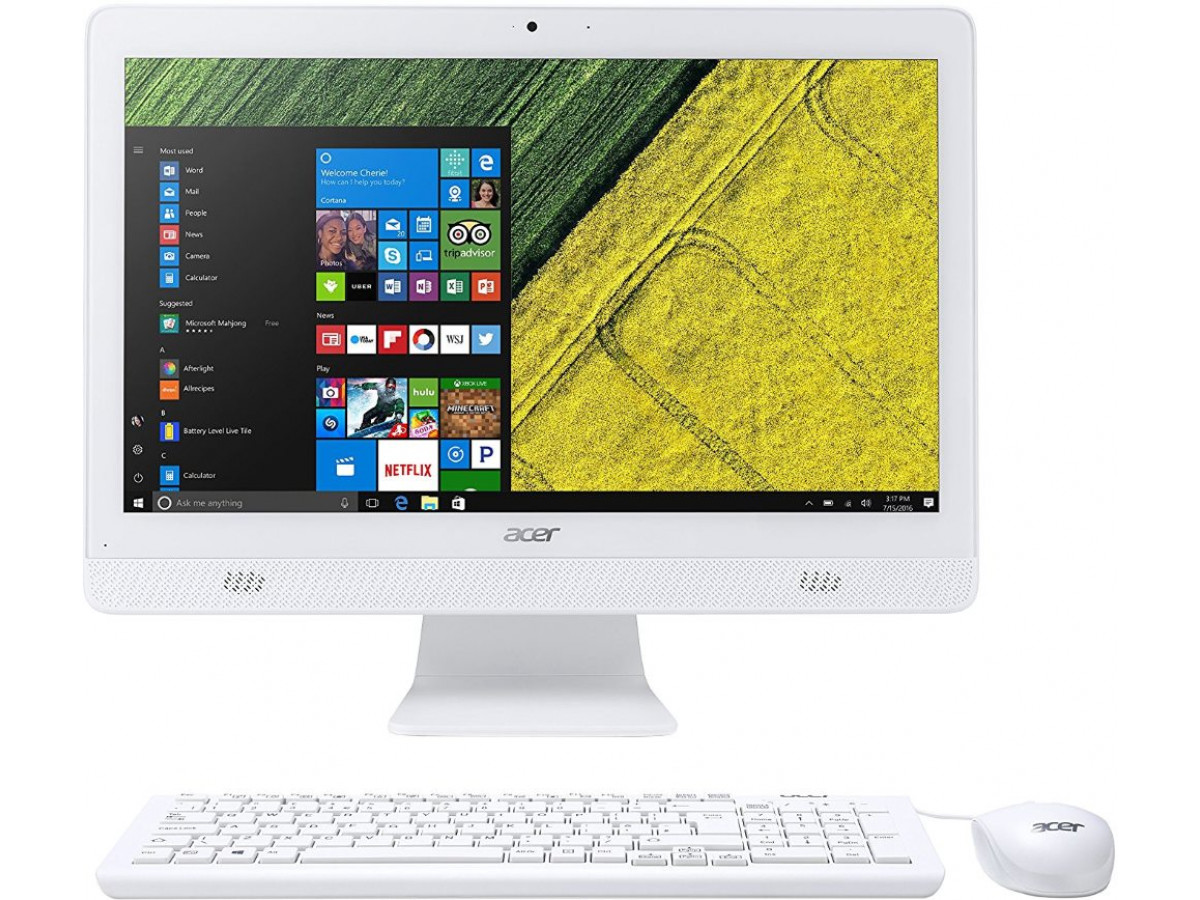
A detailed review of the Acer Aspire C20-720 19.5″ used monoblock
In the segment of budget computers for home or office, one of the inexpensive, yet compact and convenient models is the Acer Aspire C20-720 monoblock. This device may be of particular interest to those who want to buy a used computer that is inexpensive, fully assembled, ready to go, and compact. The variant with an Intel Celeron J3710 processor, 4 GB of RAM, 120 GB of SSD, and a built-in graphics core is one of the most common on the secondary market. Below is a detailed look at its strengths and weaknesses, as well as what to look for when buying a used monoblock.
Main technical characteristics
- Screen: 19.5″, 1600×900 resolution (HD-plus), LED panel.
- Processor: Intel Celeron J3710, 4-core, 1.6 GHz (up to 2.64 GHz in turbo), integrated Intel HD graphics.
- RAM: 4 GB DDR3 (one slot, can be expanded depending on the modification).
- Storage system: SSD 120 GB (used) - a good solution for the OS and basic programs.
- Ports and connections: USB 3.0 + USB 2.0, HDMI output, LAN, Wi-Fi (802.11ac), card reader, DVD drive, webcam, and microphone.
- Power supply: standard 45W power supply.
- Compactness: monoblock, i.e. screen + system unit - all in one case, minimum wires, convenient for small spaces.
These characteristics make the Acer Aspire C20-720 with 120 GB SSD and 4 GB RAM an affordable option for everyday tasks: working with documents, surfing the Internet, online meetings, watching videos, studying, etc.
Advantages of buying a used PC
Affordable price and ready to use
By purchasing such a monoblock, you get a ready-to-use PC - screen, case, peripherals (keyboard + mouse), and connections - all in one device. This simplifies setup and saves space on your desk. For many people looking to buy a used computer, this all-in-one configuration is convenient and practical.
SSD + compactness = quick start and comfort
The presence of an SSD (unlike old HDDs) significantly speeds up OS loading, working with documents and programs, and reduces system noise. The compact monoblock does not require a separate system unit and monitor, which is convenient for small apartments or workspaces.
A complete solution for basic tasks
Office-type tasks, mail, browsing, video meetings, simple multimedia tasks - all of these are handled by this monoblock quite adequately. If you need an office or home PC that doesn't take up much space, this option is a logical choice.
The ability to find "used monoblocks in Kyiv" with a guarantee
The used device market often offers this monoblock with a seller's warranty (for example, 3 months), which reduces risks.
Disadvantages and limitations: what to look for before buying
- Limited capacity: 4 GB of RAM + built-in graphics + a basic processor is not enough for modern resource-intensive tasks (heavy software, video processing, gaming, multitasking). Such a PC is only for basic needs. If you plan to do more, you'd better look for something more powerful.
- Limited upgradeability: monoblocks are generally more difficult to upgrade than classic desktops; sometimes problems arise after installing more RAM or SSD. This should be taken into account before buying.
- Outdated screen and specifications: 19.5″ with a resolution of 1600×900 is far from modern Full HD, which is noticeable when working with graphics or multimedia.
- A limited supply "for the future": In 2-3 years, modern programs and OSes are more demanding - this PC can quickly feel that it is "on the verge".
Who is this monoblock for and is it worth buying?
It is convenient to buy such a used monoblock if:
- you need a simple, cheap, and ready-to-go PC for office, school, Internet, and video calls;
- you live in an apartment with limited space and don't want a lot of wires;
- your budget is limited, but you want something more reliable than a tablet or an old laptop;
- you need a "second computer" for children, parents, or as a backup device;
- you're interested in used monoblocks in Kyiv or Ukraine with a warranty, and you're ready to compromise on power.
If you plan to do something more serious, such as working with graphics, video editing, gaming, or long-term multitasking, this option will be a temporary solution, and it's better to look for something more powerful with more modern hardware.
Tips for buying a used PC: how to check the monoblock before buying
- Check the SSD operation - whether the OS loads correctly, whether there are no freezes or errors.
- Check the screen for broken pixels, scratches, and backlight uniformity (especially on an old 19.5″).
- Make sure all ports are working - USB, HDMI, card reader, network connections.
- Check the price, taking into account the condition - case, keyboard/mouse, and accessories. If there is a warranty from the seller, it is a big plus.
- Consider your future needs: do you plan to expand RAM, add peripherals, or upgrade - monoblocks usually have limited modularity.
Acer Aspire C20-720 with Celeron J3710 / 4 GB RAM / 120 GB SSD / 19.5″ screen configuration is a budget, compact and affordable option for basic tasks: office, study, working with documents, browsing, video calls, watching videos. If your goal is to buy a used computer for such tasks, or to find used monoblocks in Kyiv with a warranty, it can be a good solution. However, in terms of power, upgrades, and prospects, it is significantly inferior to modern desktops or laptops, so it is important to realistically assess your tasks and expectations before buying.
Write a comment